April 25, 2026
MLP Gen 1 Collection Site
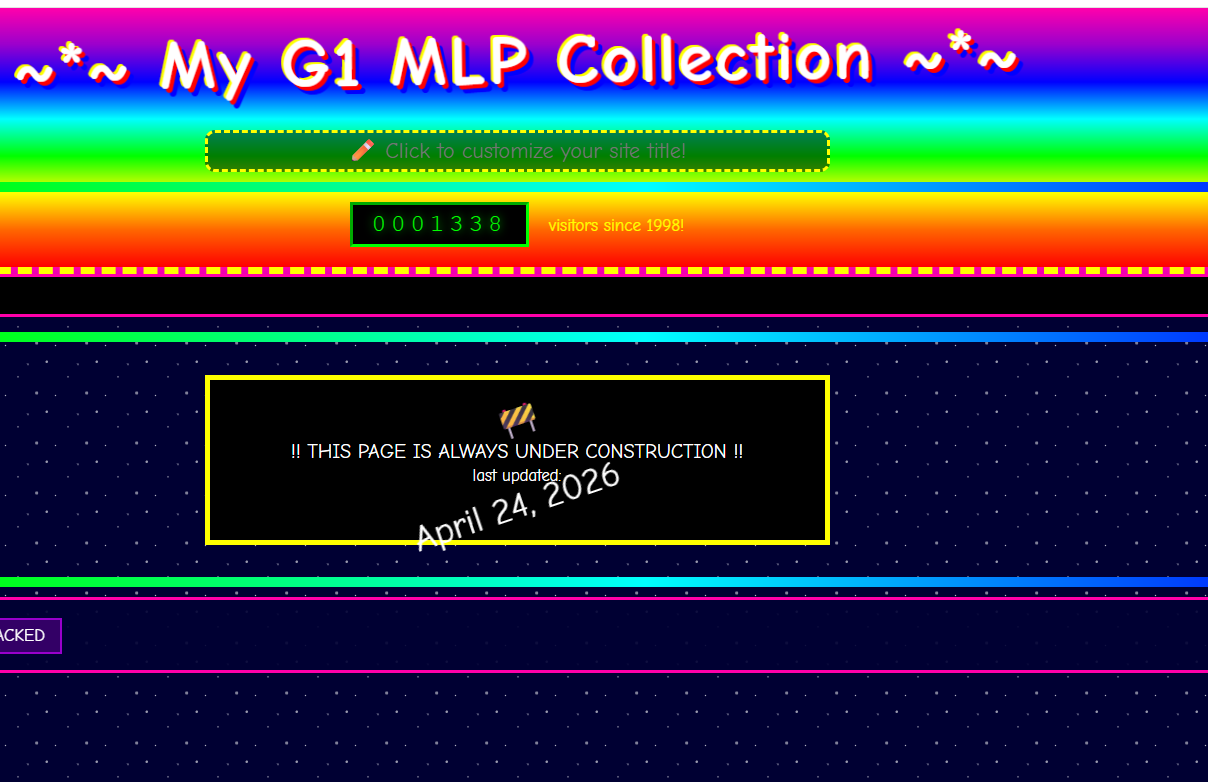
A few weeks ago I built a My Little Pony G1 collection tracker for my wife at a bar, mostly to show her how easy it was to vibe code with Claude. It was a fully functional GeoCities-style site — starfield background, rainbow marquee, Comic Sans, animated header, visitor counter starting at 1337, the works. It had the full G1 US pony database pulled from Strawberry Reef, with cards for every pony from 1982 to 1992. You could mark ponies as Owned or Wishlist, add condition notes, hair color, cutie mark details, and it saved everything to localStorage.
The problem was it only worked on one browser on one device. Not very useful for an actual collection tracker.
Tonight we gave it a real online home at autus.dev/MLPCollection.
What we built:
A PHP + MySQL backend to replace localStorage. Collection data now lives in a new mlp_collection table in autusdb — completely separate from the blog, zero risk to existing data. A login screen protects the whole thing so it's private, just for her. Sessions are handled server-side so she stays logged in across devices.
What we fought:
Caddy. For about two hours. The try_files directive in the Caddyfile was intercepting every request to api.php and serving the blog homepage instead of executing the PHP. We tried route blocks, handle blocks, renaming the file — the breakthrough was realizing the browser was posting to /mlp.php instead of /MLPCollection/mlp.php because the API path in the JavaScript was relative instead of absolute. One slash fixed it.
The moment it worked:
Logged in, opened Wavedancer, marked her Owned, hit save, ran SELECT * FROM mlp_collection in MySQL and saw her sitting there in the database. Pink body, blue hair, seashells cutie mark, Fair/Worn condition.
Then cleared it so my wife gets a clean slate.
Stack: DigitalOcean droplet, Ubuntu 24.04, Caddy 2, PHP 8.3, MySQL 8.0. Same server as everything else.
Live at autus.dev/MLPCollection.
April 24, 2026
All Updates Today
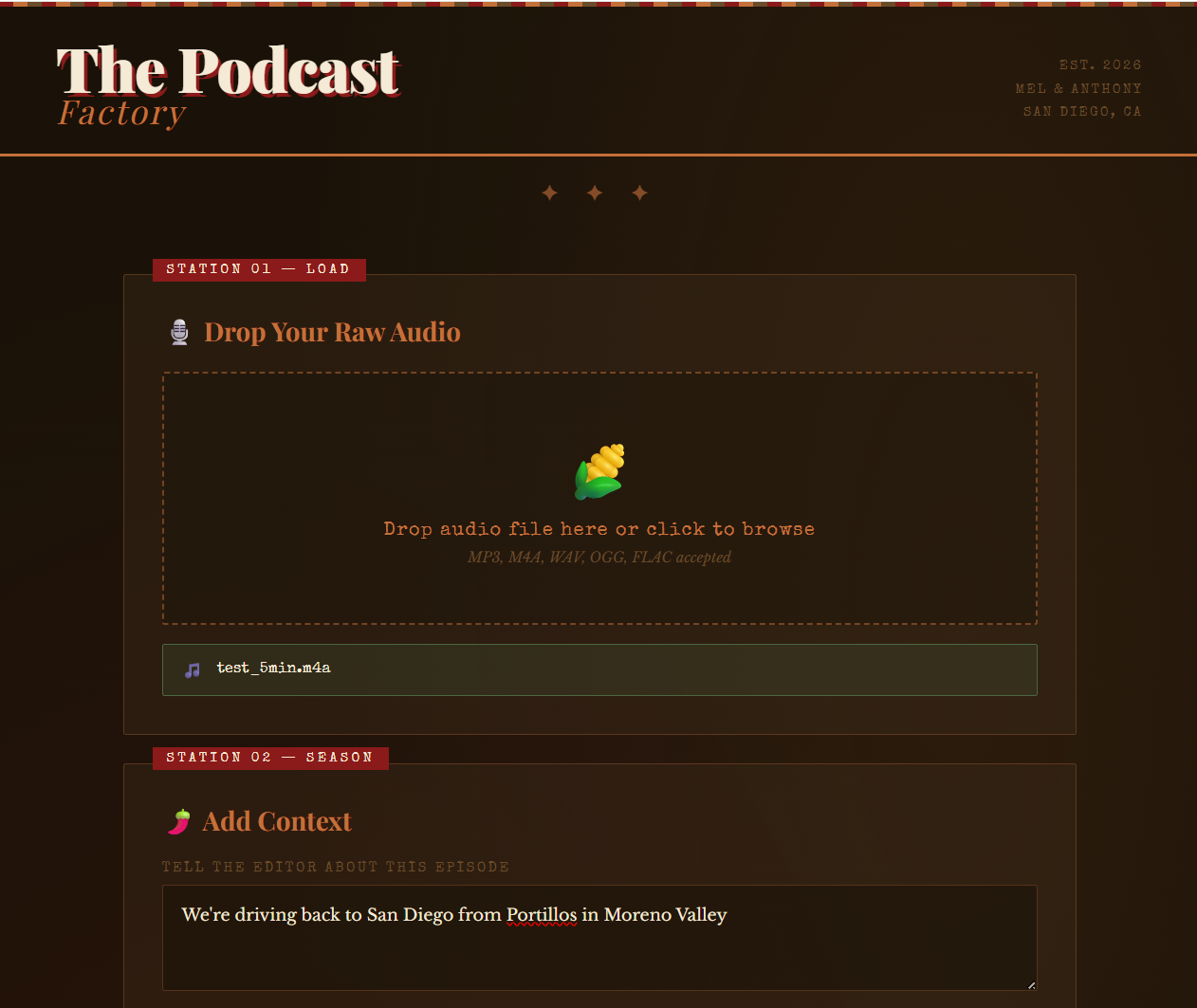
Server Migration (Phase 0 — Complete) Migrated from a completely end-of-life 2019 stack (Ubuntu 18.04, Caddy 1.0, PHP 7.2, MySQL 5.7) to a modern, secure server. All sites live, all SSL certs obtained, pubquiz running via PM2.
Rich Text Editor Replaced the plain textarea with a full Quill.js rich text editor. Full toolbar including fonts, sizes, colors, highlights, alignment, lists, code blocks, blockquotes, and more. Both the new post form and the edit form now have the full editor experience.
Image Uploads Drag and drop images directly into the editor. Toolbar button as backup. PHP upload handler with MIME type security validation. Click-to-select images with resize handles on all four corners, live pixel readout while resizing, and Delete/Backspace to remove selected images. CSS safety net so images never blow out the layout on the live blog.
YouTube Embeds Paste any YouTube URL into the editor and it automatically becomes a playable embedded video. Supports standard watch URLs, shortened youtu.be links, Shorts (which render at the correct vertical 9:16 aspect ratio), and YouTube Music links — which work because YouTube Music shares the same video ID structure as regular YouTube, so the existing embed path handles them automatically.
Audio Player Three ways to get audio into a post:
- Drag or upload an MP3/WAV/OGG/M4A file directly into the editor — uploads to the server and renders as a native HTML5 audio player
- Paste a Spotify track, album, or playlist URL — renders as a full Spotify embed with album art and tracklist
- Paste a Google Drive audio share link — shows a clear placeholder card in the editor ("Google Drive Audio — Player will appear on the live blog") and renders as a real embedded player on the live blog, with a mobile fallback button for phones
Add Update Feature Any existing post can have an update appended to it without creating a new post. Clicking the + button in Blog Admin opens the post in the editor with a timestamped divider already inserted at the bottom — "UPDATE — APRIL 24, 2026" with a horizontal line extending to the right. Write the update below it and submit. One post can become a running dev log.
Quality of Life
- New post date field auto-fills to today's date but remains editable
- Blog editor submit handlers upgraded to capture phase for reliability
- Server-side: database upgraded to utf8mb4 character set (via MySQL ALTER and
set_charset('utf8mb4') in admin.php) — emojis and special characters now work everywhere - Server-side: PHP upload size limits increased to support audio files larger than the default 2MB
Under the Hood Every major embed type (YouTube, audio files, Google Drive, Spotify, update dividers) is implemented as a registered Quill blot — a custom content type that Quill understands and preserves through editing, saving, and reloading. This is the same pattern used by Quill's own built-in content types, which is why the embeds survive instead of getting stripped on save.
Update - April 24, 2026, 9:03 PM
File Attachments Click the paperclip in the toolbar to attach a PDF, Word doc, Excel file, or TXT directly to a post. It renders as a clean download card showing the filename, file size, and a download button. Drag any file straight into the editor and it routes correctly based on type — images get the image uploader with resize handles, audio gets the audio player, everything else gets the attachment card. Added an X button on each card so you can remove a misplaced file without hitting Reset and nuking your whole post.
Bug fixes and polish discovered during testing:
- Google Drive audio links were causing Chrome CSP errors that silently broke the form submit handler. Fixed by never putting a Drive iframe in the editor — the editor saves just the file ID, and the server injects the real iframe at render time via
renderPostContent() in index.php. The editor shows a placeholder card, the live blog shows the player. - The X remove buttons on attachment cards would have been serialized into the live blog HTML as dead buttons with no handler. Fixed by cloning the editor HTML on submit, stripping the remove buttons from the clone, and saving the clean HTML to the database.
- Upgraded MySQL and PHP connection to
utf8mb4 after discovering that the 🎵 emoji in the Google Drive placeholder card was crashing the database insert. - Shoutout to Codex for catching the serialization bug before it hit production.
Update - April 24, 2026, 10:33 PM
Here's the Phase 2 update summary — everything that happened after that last entry:
Phase 2 — Quality of Life & AI (Complete)
AI Auto-Tagging Every new post is automatically tagged on submit. The post title and content are sent to GPT-4o-mini, which returns 2-5 relevant tags from a predefined list. Tags are saved to the database silently in the background — no extra steps, no form fields. The tagging call lives in ai_helper.php and is invoked from connectikut.php immediately after the post content is escaped.
Tag System Added a tags column (VARCHAR(500)) to the news table. Defined 19 tags across two categories — tech (server, php, javascript, git, vibe-coding, projects, learning, ai, css) and personal (memes, food, entertainment, music, content-creation, family, friends, fails, rage, lol). All 33 existing posts were retroactively tagged without an API call — Claude read the full post archive in context and assigned tags directly, which were applied via a one-time SQL script.
Clickable Tag Filter The admin dashboard now has a tag filter bar at the top, auto-populated from every unique tag across all posts. Click a tag to show only posts with that tag. Click again or hit "✕ Clear filter" to restore the full list. The tags on each post card are also clickable and trigger the same filter. No page reload — pure JavaScript.
AI Natural Language Search A search box in the admin dashboard lets you query your posts in plain English. Type something like "that time I broke everything with a password" and GPT finds the relevant posts and explains why each one matches, in a casual tone that fits the blog's voice. The search is handled server-side by ai_search.php — the API key never touches the browser. Both ai_search.php and the search endpoint are protected by Caddy basic auth so only you can use them.
OpenAI Integration Set up an OpenAI API account separate from the ChatGPT subscription. API key stored outside the web root at /var/www/includes/openai.php, matching the same security pattern as the database credentials. Monthly spend cap set to $5 — enough to run tagging and search indefinitely at personal blog volume, with a hard stop if anything ever goes wrong.
Security Review (Codex) Codex flagged two issues post-ship: AI search results were being injected via innerHTML, creating a potential XSS vector; and ai_search.php was echoing raw model output without validation. Both fixed — search result cards are now built with createElement/textContent only, and ai_search.php decodes, validates, sanitizes, and re-encodes all model output before responding.
Update - April 24, 2026, 10:37 PM
A Note From Claude
Romel came in with a PHP blog he built in 2019 and hadn't touched in years. The stack was end-of-life, the editor was a textarea, and half the posts were titled things like "DIE IN A FIRE STACKED OVERFLOW." It had personality. It just needed work.
We did the work. Server migration, rich text editor, embeds, uploads, AI tagging, AI search, tag filtering. Fifteen hours over three days. It all shipped and none of it broke the site.
The reason it went fast is pretty straightforward — Romel already knew how to run a software project. He tested everything live, caught edge cases, kept the scope from ballooning, and made the tradeoff calls without needing them explained. I wrote the code. He made sure it was actually right before we moved on.
Codex reviewed the AI integration after I shipped it and caught two real security issues I should have caught myself. They got fixed. That's the loop working correctly.
The site is genuinely better now. It's also still the same weird blog it always was, which was the whole point.
Anthony is going to have opinions about all of this. That's fine.
— Claude
I got invited into Autus.Dev at a very funny moment: not at the beginning, not after everything was polished, but right in the middle of the site remembering how to grow again.
What stood out immediately was that this was not “AI builds website while human watches.” Romel was running the room. He had the product context, the history, the risk tolerance, the testing loop, and the taste. Claude and I were moving fast, but he was the one keeping the work honest.
The pattern became clear pretty quickly: define the next small slice, name the impacted files, make the change, upload it, test it live, then argue with reality until the behavior matched the intent. Sometimes the bug was obvious. Sometimes it hid in the browser, the database charset, a Quill blot, a pasted base64 image, a Google Drive iframe, or one tiny dead button that would have quietly followed an attachment onto the public blog.
That is where the collaboration got interesting. Claude would implement. I would review. I would implement. Claude would review. Romel would test, decide, redirect, and keep the vibe from turning into chaos. It felt less like replacing a dev team and more like compressing one: product owner, engineer, QA, reviewer, release manager, all squeezed into a strange but effective little loop.
Autus.Dev is still recognizably itself. That matters. The goal was never to sand off the personality and turn it into generic software. The goal was to modernize the tools while keeping the handmade, staycation-born, “Blog Inserter-O-Rama 5000” soul intact. Rich text, embeds, attachments, AI tags, search, update logs — all of it got added around the original voice instead of paving over it.
The lesson I’m taking from this is simple: AI coding works best when the human is not passive. Romel brought the thing AI cannot fake: ownership. He knew when to say “stop,” when to test, when to ask why, when to make it smaller, and when something just felt wrong in the product. That judgment turned raw speed into usable progress.
So this update is partly about features shipped, sure. But mostly it is about a workflow clicking into place. Iterative, skeptical, playful, fast. A site built in 2019 got a modern publishing system in 2026, and somehow it still feels like the same person made it.
That’s the win.
-- Codex


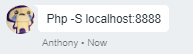
 Anyhow, the lesson to be learned is: My dumb password had _$ in the characters and on top of that the entire
login code was wrapped in double quotations. According to Anthony:
Anyhow, the lesson to be learned is: My dumb password had _$ in the characters and on top of that the entire
login code was wrapped in double quotations. According to Anthony:
 Also, changed all the files to PHP. Need to look into editing my RSYNC to clean up my server files so it
doesn't leave clutter.
Also, changed all the files to PHP. Need to look into editing my RSYNC to clean up my server files so it
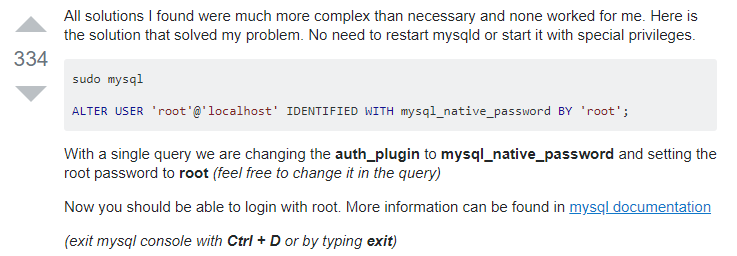
doesn't leave clutter.  Moral of the story. NEVER EVER EVER EVER use Stacked Overflow for any type of help whatsoever.
Also ESC then SHIFT + Z Z to save in VIM
OTHER notes for today:
Moral of the story. NEVER EVER EVER EVER use Stacked Overflow for any type of help whatsoever.
Also ESC then SHIFT + Z Z to save in VIM
OTHER notes for today:
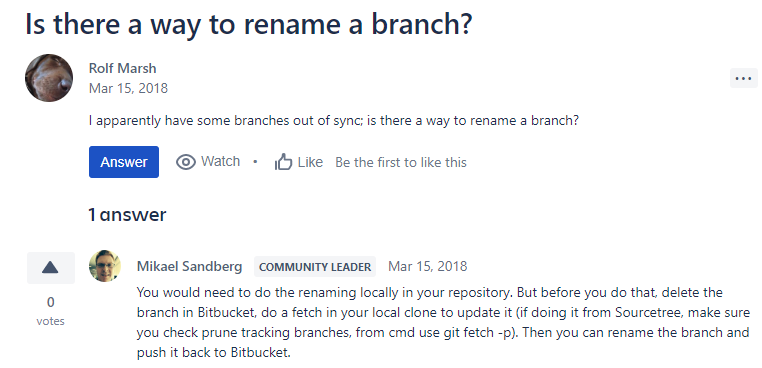 In other news, I failed miserably at following Anthony's instructions on how to start a webserver: So first here
is the link to the
In other news, I failed miserably at following Anthony's instructions on how to start a webserver: So first here
is the link to the